
how to use ai to help in home design
AI can redesign rooms, generate floor plans, restyle décor, and even plan renovations from a single photo — making home design faster, cheaper, and far more visual. The most powerful tools today let you upload a picture of your space, choose a style, and instantly see photorealistic redesigns, complete with furniture, colors, and layout changes.
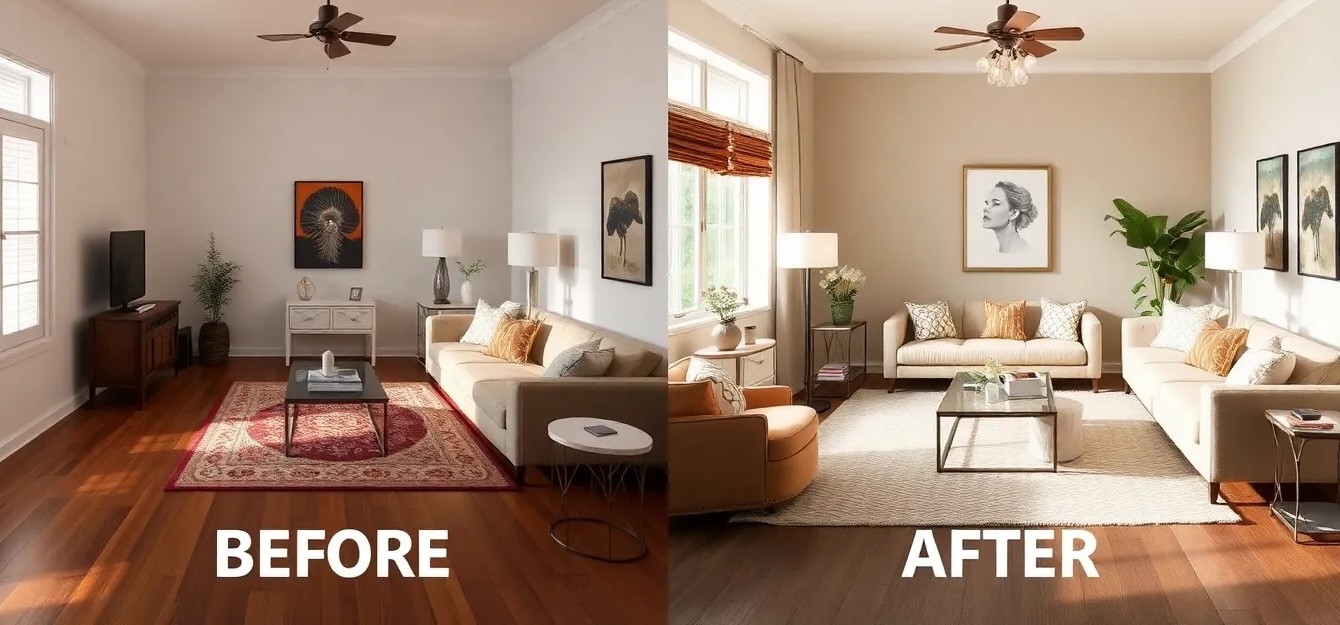
Photo to redesign — Upload a room photo and get instant style transformations (modern, Japandi, farmhouse, etc.). Tools like HomeGPT, VisualizeAI, and RoomGPT excel here.
Full renovation previews — AI can simulate new flooring, windows, wall colors, or entire remodel concepts before you spend money. HomeGPT supports interior, exterior, and garden redesigns.
Smart layout generation — Some platforms automatically rearrange furniture or propose optimized layouts using spatial understanding.
Virtual staging — Real estate agents use AI to stage empty rooms with realistic furniture (Interior AI, HomeVisualizerAI).
Plant styling & indoor gardens — Tools like Easy-Peasy.AI and Decor8 AI help place plants and match them to your interior style.
Floor plan to 3D — Upload a sketch or blueprint and get a 3D model (HomeGPT, Planner 5D).
How to Use AI for Your Own Home Design
- Take a clear photo of your room (good lighting, wide angle).
- Choose a tool based on your goal (quick redesign vs. full remodel).
- Pick a style — modern, Scandinavian, Japandi, eclectic, etc.
- Add constraints — e.g., “renter?friendly,” “keep layout,” “add storage.”
- Generate multiple versions and compare.
- Refine with prompts — change colors, swap furniture, adjust lighting.
- Use AI to plan purchases — some tools recommend real furniture.
Let Lynne Greene Interiors use that rendering and help bring your vision to life! Call today 781-221-8422